ADHD Progress Hub
Keep enough context to resume unfinished work without reconstructing your last session.
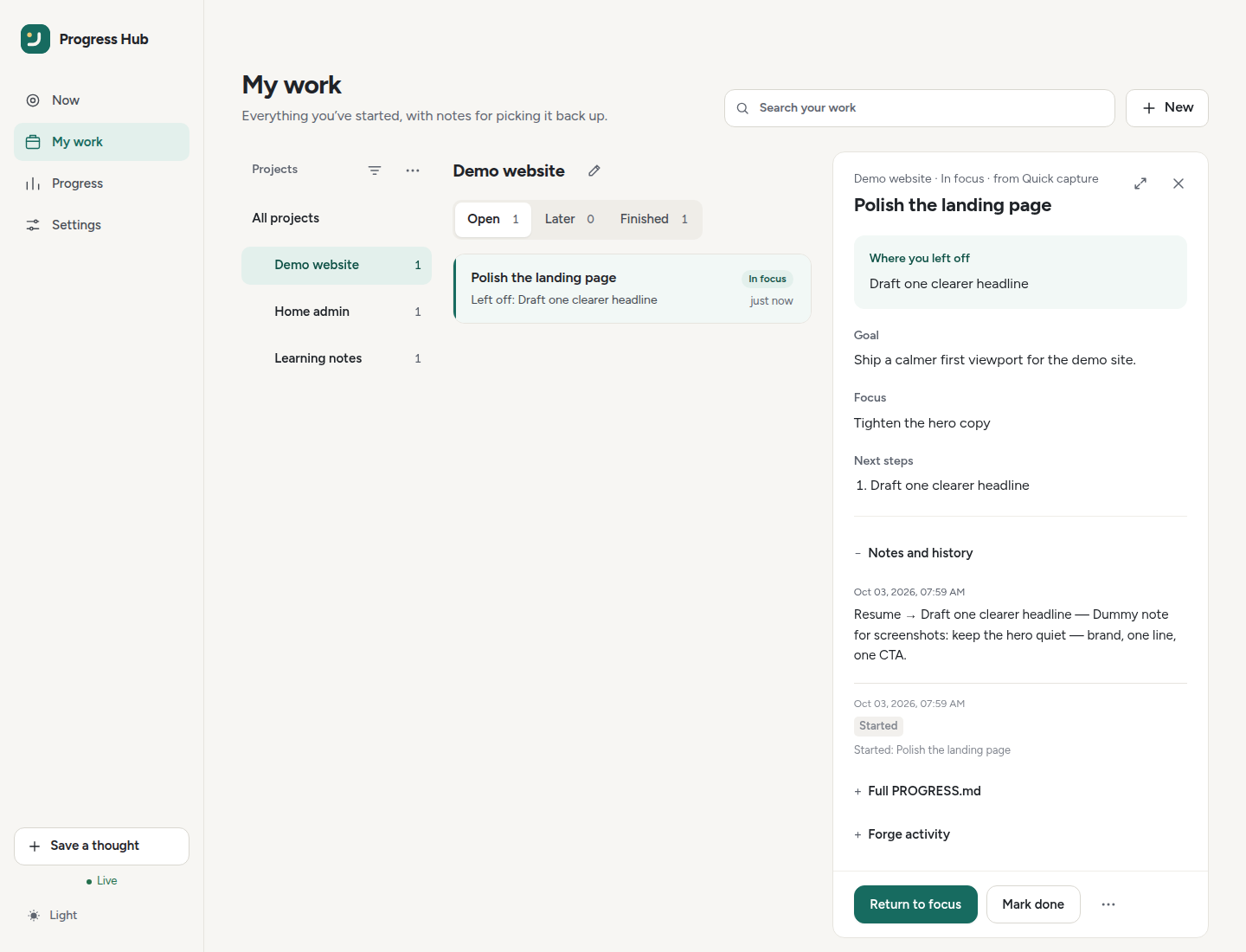
Install · Connect an agent · View on GitHub · Screenshots
Self-hosted · MCP (Streamable HTTP + local stdio) + REST · Cursor / Codex / Claude Code · GitHub/Gitea optional
The loop
Work → Save continuity → Leave → Come back → Resume
The Hub keeps the parts that matter when you return: what you were trying to do, what matters now, what is blocking you, and the next concrete place to continue.
Start here
If this is your first time using the Hub, follow this order:
- Install the Hub.
- Connect your coding agent.
- Set up project continuity for substantial work.
- Project sync for deterministic downstream skill/guidance updates.
- Continuity guard (opt-in Cursor hooks) when you want stronger enforcement than rules alone.
- Open the dashboard when you want to choose, pause, or resume work visually.
For a practical day-to-day routine, see Personal setup. For concise Goal / Focus / Next / Blocked / Resume notes, see Writing & continuity. To read that continuity on My work, see Notes & context.
For the Wave 7 review contracts and Cursor fixtures, see Duplicate-thread review and merge API and Return-cue coaching. For the opt-in wind-down boundary, see Clock-Off. For the full MCP catalog, see MCP tool contract.
What belongs here?
Use the Hub for work that is useful to resume later:
- Repository work — link it to GitHub/Gitea while the Hub keeps private continuity around it.
- Local-only work — homelab changes, migrations, research, admin, PC setup, and similar work can stay entirely inside the Hub.
You do not need to move every task into one system. The Hub is designed to stay useful without streaks, competitive pressure, or guilt when work sits untouched.
Deploy and configure
- Homelab deployment
- Remote MCP access (tunnels for cloud agents)
- Authentication
- Environment variables
- MCP transports: HTTP and local stdio
- Forge permissions
- Forge issue inbox
- OpenClaw
Project
The public roadmap is the single documentation page for current sequencing. GitHub issue #15 is the canonical planning tracker. See the brand guide for the visual and interaction principles used by the project.
Historical implementation plans remain in the repository for maintainers, but are intentionally kept out of the main documentation navigation.